DNS Server: fossjon.wp.com/2021/03/24/…dns-server-blocker-forwarder/
Edit: This would be a good time to plug another amazing blog site written by Cory Doctorow (a member of the EFF) called Pluralistic!
DNS Server: fossjon.wp.com/2021/03/24/…dns-server-blocker-forwarder/
Edit: This would be a good time to plug another amazing blog site written by Cory Doctorow (a member of the EFF) called Pluralistic!
Note: This is only compatible with the good old.reddit.com website!
javascript:(function(){
function w() {
document.title = (document.title+" . [*]");
var y = Math.random(), x = new XMLHttpRequest();
x.onload = function() {
var c = 0, d = document.createElement("div");
d.innerHTML = this.responseText;
var l = d.getElementsByClassName("thing");
for (var i=(l.length-1); i>=0; --i) {
var p = (l[i].getAttribute("data-permalink") + "");
if (!p.startsWith("/r/")) { continue; }
var f = 0, z = [null, null]; c = 0;
var m = document.getElementsByClassName("thing");
for (var j=0; j<m.length; ++j) {
var q = (m[j].getAttribute("data-permalink") + "");
if (!q.startsWith("/r/")) { continue; }
if (q == p) { f = 1; }
if (!z[0]) { z[0] = m[j]; }
c += 1; z[1] = m[j];
}
if (c > (36-(parseInt(y*5)+1))) {
z[1].parentNode.removeChild(z[1]);
}
if (f == 0) {
console.log(p);
z[0].parentNode.insertBefore(l[i], z[0]);
}
}
var a = (new Date() + "").replace(/[ ]*[^ ]*-.*$/, "");
var h = ("<b><font color='red'>" + a + "</font></b> pop in: ");
document.getElementsByClassName("menuarea")[0].getElementsByTagName("span")[0].innerHTML = h;
document.title = ("("+c+") . reddit");
};
var s="?", r=location.href;
if (r.includes("?")) { s="&"; }
x.open("GET", r+s+"r="+y);
x.send();
}
w(); setInterval(w, ((9 * 60) + 1) * 1000);
})();
So I thought I’d try something new/different these days and buy a domain again! I’ve purchased some in the past but never made much use of them personally speaking…
Domain Example: [fossjon.com]/2021/10/06/…a-domain-for-2021/
I chose Google Domains because they offered some extra valuable & useful features:
The only thing I can’t do is send email outbound with a domain address via gmail itself (without an extra smtp server setup) because Google removed the ability to modify the FROM field in the message headers directly with an alias email (it now requires a persistent external smtp auth login)!
Edit: If you can find a third-party smtp mail provider that allows you to add & verify email aliases more easily, you can instruct gmail to connect to that external smtp server with your other account and then you’ll be able to send email from an alias address via gmail directly!
Got a score of 90+ which is not-too-bad for a super-simple domain-name email address!

$ dig fossjon.com txt | grep -i spf
fossjon.com. 550 IN TXT
"v=spf1 include:_spf.google.com include:_spf.mail.yahoo.com ~all"
# dig fossjon.com txt +short | grep '!' | tr -d '"' | base64 -d
I wanted to make a historical list of phones that I’ve owned over the years and the reasons why I purchased them in particular. I generally buy phones on the ‘S’ year (tick-tock cycle) when the small improvements have been made to it over time versus the major redesign years!
2007: An important day to remember in the history books…
~
<=2009: A long long time ago, we used to have flip phones, and at this point I had a BlackBerry Pearl !
~
2010: One of the first affordable smart phones I owned was the HTC Desire which ran an early version of Android OS and it was very mod-able/customize-able at the time vs the first iPhones back in those days!
~
2011: After some time of using an Android phone I remember my main complaint being that the battery life barely got me through the day. I then received a hand-me-down phone called the Apple iPhone 4S which had a beautifully-solid-all-glass design, much better battery life, and my first intro to iOS which felt much more put together but more limited in terms of what it allowed me to do with it!
~
2012: I then switched back to vanilla Android with the Google Nexus 4 because it offered a bigger screen size, a clean OS / unlocked phone, and it was a very low price compared to the competitors. Battery life again was so-so but the back glass looked amazing and sparkly!
~
2013: I switched back again to the Apple side with the Apple iPhone 5S even though it had a smaller screen size compared to the Android phones. I liked the square edge design in the Gold color and mainly because it was the first phone in the whole market to offer a fingerprint unlock. I grew tired of entering in the long PIN codes by hand with the Nexus and I also got the good battery life back again!
~
2015: I kept the 5S for a bit and then upgraded to the Apple iPhone 6S for the same reasons as before except this time it offered the bigger screen size and greater battery life. However, it was still an LCD panel compared to the Android phones which were leading the way with their more advanced screen technology!
~
2017: I had been waiting since the 6S for Apple to release a bigger-sized-but-less-than-6-inches, edge-to-edge OLED screen and they never did for quite some time. So I purchased the Samsung Galaxy S8 which offered best quality screen on the market in addition to a headphone jack, a fingerprint reader, and a modern version of Android OS. My main issue with this phone was not so much the phone part but the Samsung-as-a-company part where they only provided us with 2 years worth of OS updates for a thousand dollar phone… We also couldn’t unlock the boot-loader very easily (to upgrade the OS manually) or remove their forced apps (press F in the chat for Bixby) and I was getting worried about the security of the device over time!
~
2020: After nearly 5 years of waiting, Apple finally released a phone that had a smaller-than-6-inches + edge-to-edge OLED display. It was called the iPhone 12 Mini and I immediately purchased it and retired my old Samsung phone. I really appreciated the form factor of this phone and what it had to offer. Even though I do miss the headphone jack and fingerprint unlocker, it is very hard to find a small-sized, full-screen phone these days for those of us with smaller hands!
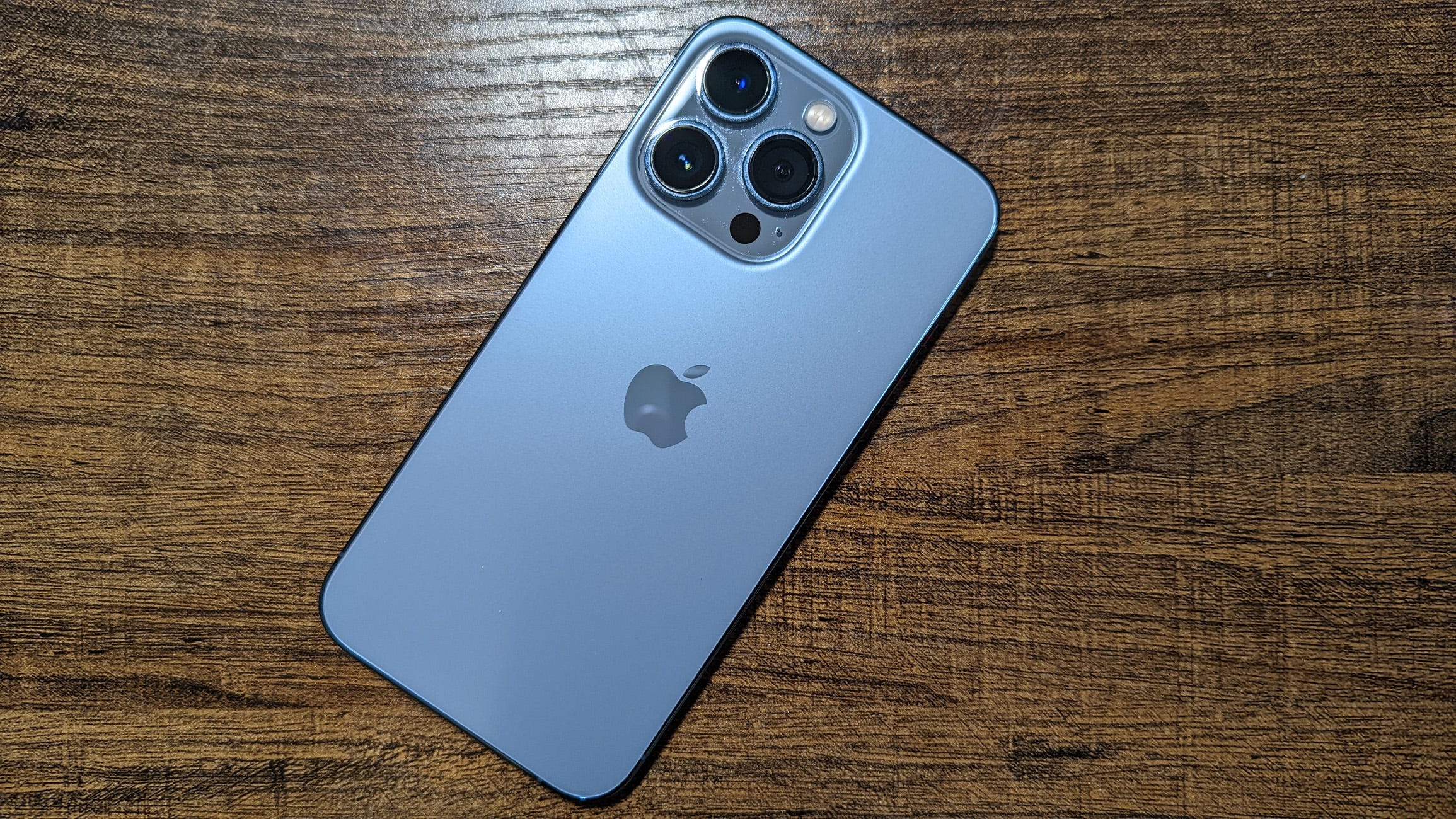
2021: And now, back to today, with the Apple iPhone 13 Mini Blue — it’s the ‘S’ year again! 🙂
~
2023: Apple finally implemented a pro-level screen which offered an always-on-display so I could get my important notifications at a glance while working without needing to press any buttons. The iPhone 15 Pro also came in a new Titanium Blue color option with matte style rails which looked way better along with the frosted glass back panel. It was stronger, lighter, and softer to hold in the hand however I do miss the physical silence switch but yet another good ‘S’ year update!
Gear List:
So I have been waiting and saving up for the future-rumoured M1X Macbook Pro (while still hanging on to my 2017 Macbook Air, for nearly 5 years now). I also have been trying to support the sales of the iPhone Mini because it’s such a great form factor and size and the rumours are saying that Apple may not produce it in future years!
![]() |
| – – |
![]() |
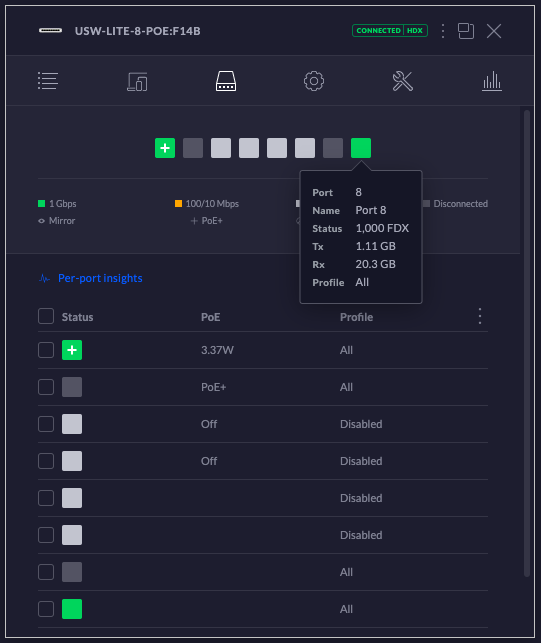
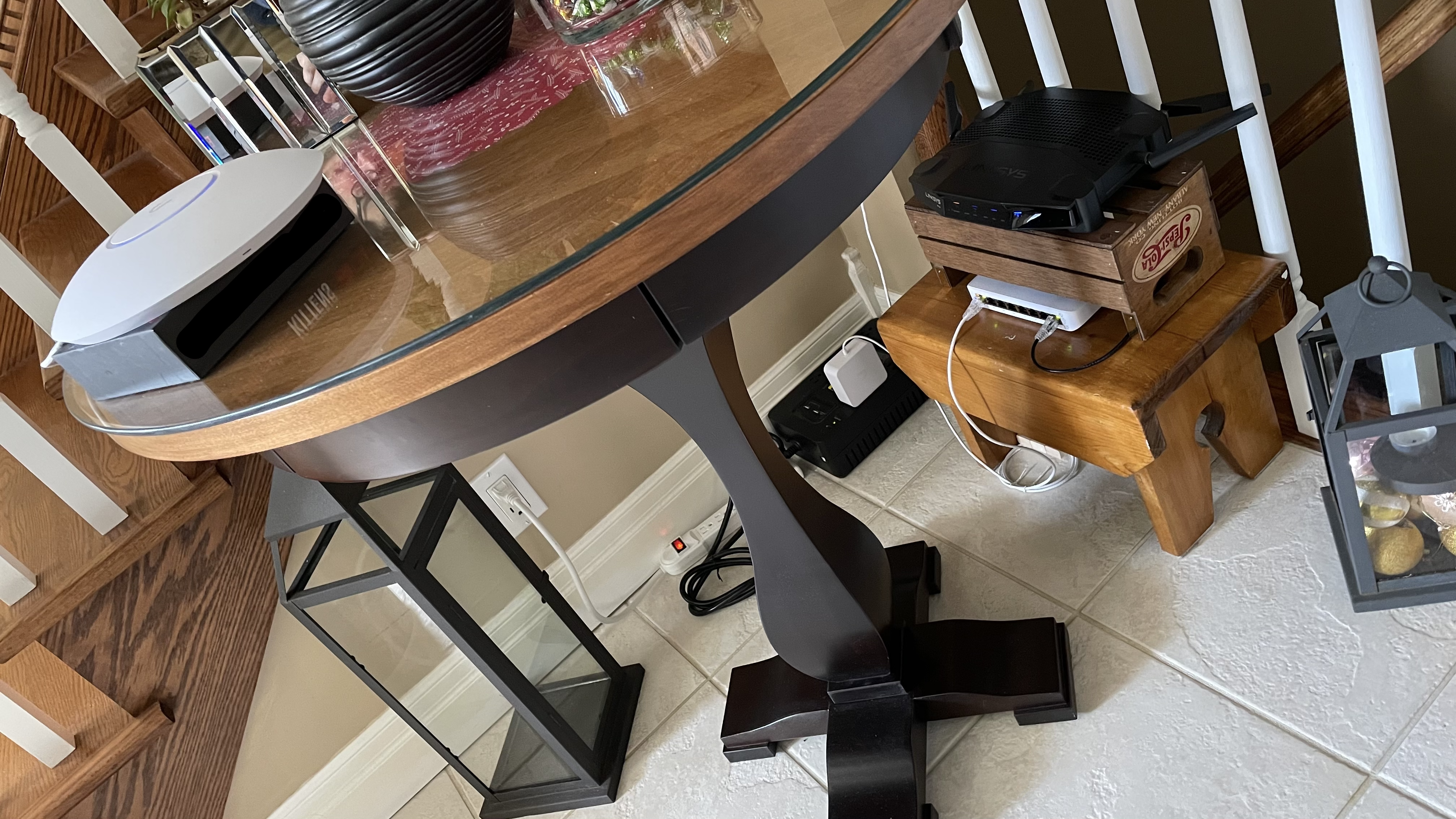
Since I have been working from home during this fall/winter season up north, in the woods, I also setup a mini-network here with a nice: UniFi tri-band-ac POE-UAP, Netgear gigabit-ethernet POE-SWITCH, and the famous TP-Link archer C7-V5 OpenWRT ROUTER+FIREWALL. These all make for a great, stable, and reliable home network configuration when used together! 🙂
So before Apple’s last event, I decided to buy a brand-new-yet-also-pre-out-dated Intel Mac Mini to use as a WiFi bridge / router / firewall in place of the Linksys WRT32X. It took me a little bit to re-figure out the BSD Packet Filter firewall again but I got some good routing speeds out of it (I had to use the NAT option in PF because without it I was only getting ~45MB/s vs the Linksys +80MB/s — I dunno why, maybe some sort of kernel level network driver bug going on?). Anyway, I chose to order the Intel version for the following reasons (as of writing this post):
With lots of Apple colours to choose from:
So I wanted to test the internal LAN speeds of our wireless bridge, switches, and cables in between – from one end of the network to the other. There’s an older iMac running on one side of the bridge and I didn’t want the speed test to slow down due to disk I/O reasons. I wrote a small python based web server which pre-initializes a memory buffer with random data and then sends random chunks inside of it throughout the fake “download” process (jumping around from index to index).
This is just a single stream test but there are other tools available if you want a more advance multi-stream performance testing (tools like iperf and what not). This will give you at least the real world output/speeds of your network setup (not just theoretical, I was able to get 111MB/s through a CAT-6 gigabit TP-Link Archer C7 V5 and nearly 75MB/s over a dedicated Linksys 802.11ac-3×3 WiFi bridge).
curl 'http://192.168.X.Y:8080/download' > /dev/null ; echo
Edit: Trying to maintain a stable and consistent WFH WiFi network setup! (the bridge is limiting clients to 13MBps ~ 104mbps via a iptables hashlimit rule set). It also has a good quality backchannel connection to carry all of the WiFi traffic:
import random,socket
sock = socket.socket(socket.AF_INET, socket.SOCK_STREAM)
sock.setsockopt(socket.SOL_SOCKET, socket.SO_REUSEADDR, 1)
sock.bind(("", 8080))
sock.listen(1)
rr = [chr(x) for x in range(0, 256)] * 2048
random.shuffle(rr)
rs = "".join(rr)
rl = len(rs)
rb = (8 * 1024)
az = (rl - (rb + 1))
sz = (800 * 1024 * 1024)
print("size:",rl,rb,sz)
while True:
print("loop")
(conn, addr) = sock.accept()
data = conn.recv(1024)
print("[",data,"]")
if ("get / " in data.lower()):
d = "HTTP/1.1 200 OK\r\ncontent-type: text/html\r\n\r\n hi : "+str(random.randint(0,az))+" : <a href='/download'>link</a>"
try:
conn.sendall(d)
except:
pass
try:
conn.close()
except:
pass
if ("get /download " in data.lower()):
d = "HTTP/1.1 200 OK\r\ncontent-type: application/octet-stream\r\n\r\n"
try:
conn.send(d)
except:
pass
sl = 0
while (sl < sz):
i = random.randint(0,az)
d = rs[i:i+rb]
try:
conn.send(d)
except:
break
sl += rb
try:
conn.close()
except:
pass
If you are needing a more generalized and containerized method to run the UniFi Network Controller and you don’t want it running on your main system, you can use a trusted app like Docker to achieve this task!
I made a new repo that has some Dockerfile supported scripts which will pull in the latest Debian container and customize a new image from scratch to run MongoDB + Java8. This is useful if you don’t particularly trust the pre-made, public Docker containers that are already out there!
git clone && cd dockerfi/ — The build and run commands are listed in the main script file (once the container has been started, just browse to https;//127.0.0.1:8443 and restore from backup). The UI version is statically set to the previous stable release of 6.0.45!
Note: If you need to help layer 3 out: set-inform http;//192.168.X.Y:8080/inform
https://github.com/stoops/dockerfi/blob/main/main.sh
Edit: I made a small YouTube video running the script:
So if you’re using a self-signed SSL cert which is for personal use but is public facing (similar to an SSH key upon first connect), you will get a scary warning about it of course! It is recommended to verify the cryptographic hash of that certificate to help ensure that there is no Person-In-The-Middle attack taking place. You can have some fun, at least, with self-signed certs because you can put almost anything in them so I wrote a little script to generate some leading 0’s in the fingerprint field. This helps to not only slow down an attacker trying to trick me (they need to generate something similar which takes a little more time) but it’s also easier to remember a more basic pattern (my laptop is a bit slow so I could only get 5 of them which is about 20-bits worth of nothing — The more 0s, The more secure! :):
$ openssl x509 -in crt.pem -noout -fingerprint SHA1 Fingerprint=00:00:0F:D1:86:3F:A0:39:10:67:78:0A:13:DD:3B:55:BC:68:A4:3B ==> crt.pem <== -----BEGIN CERTIFICATE----- MIIDOjCCAiICAQAwDQYJKoZIhvcNAQEFBQAwYzELMAkGA1UEBhMCWloxCzAJBgNV BAcMAlpaMQswCQYDVQQKDAJaWjELMAkGA1UECAwCWloxEjAQBgNVBAMMCTEyNy4w LjAuMTEZMBcGA1UECwwQNERGNTRSOFM1QUo3S0tWVzAeFw0yMTA0MDEwMTE0Mjla Fw0zMTAzMzAwMTE0MjlaMGMxCzAJBgNVBAYTAlpaMQswCQYDVQQHDAJaWjELMAkG A1UECgwCWloxCzAJBgNVBAgMAlpaMRIwEAYDVQQDDAkxMjcuMC4wLjExGTAXBgNV BAsMEDRERjU0UjhTNUFKN0tLVlcwggEiMA0GCSqGSIb3DQEBAQUAA4IBDwAwggEK AoIBAQDVjMyDU3S+b2kCQbnp2y6/TaYh85G/+neBL14o8emhwzngYP8BN6X+v9DJ qa5pl3JNEqO8VHpTfc05jrHMHYOp1/ciP4FrSg7li4+J4qhclaseYCRJSoARDtEW 9P5eO67ISWe714JhQP+jovb45/xy1AkL8rmS/IF/5DTBgaMFu2iZ2AoR4d+48Xpe f6sgddtYinBmZo4sTWV+4sUAoxRg7MAK6xMcublHR2YwYeV3VQmNRoXZ4kVwbjgY 56G90T6my7BOeyapVgybwwG7m6+yNQp4gw9ldac99qNSrQqeyNccXSRTIgpFwZx/ AMSGIxQy48nu9dZQV4Bz/Chfn6wXAgMBAAEwDQYJKoZIhvcNAQEFBQADggEBADI3 DuPqiqv/z4isTRB7niUKtcNZ3c8f5yidxXqGwRSSvQR3krl9kWlIFdsWQ6jiKotB THGP6QeChD04XDvXdiPAGq/wdafGZlWGmyKc6+hyDRn4Jf47cazgR2cZgUwenWIs b+ORfLyESsCQiaHaE6pEg9seA588nz2I20GAtOK60ZpVFawKfv6NZnLLNmfUVusW aWZjdRLwsUino+XZxrcfadCuFKvOOFVjYSbiqzq63vPILrhtt/dwyy5eocXoWP4B Qs3iv31U+7yy2gT0BcnHHGwDq3gD8NS62UcnA/2ZOjgtR8P/bCsyldX92QWd1ysL uQY6WY16bWyAhdGS21A= -----END CERTIFICATE----- ==> key.pem <== -----BEGIN RSA PRIVATE KEY----- MIIEpQIBAAKCAQEA1YzMg1N0vm9pAkG56dsuv02mIfORv/p3gS9eKPHpocM54GD/ ATel/r/QyamuaZdyTRKjvFR6U33NOY6xzB2Dqdf3Ij+Ba0oO5YuPieKoXJWrHmAk SUqAEQ7RFvT+XjuuyElnu9eCYUD/o6L2+Of8ctQJC/K5kvyBf+Q0wYGjBbtomdgK EeHfuPF6Xn+rIHXbWIpwZmaOLE1lfuLFAKMUYOzACusTHLm5R0dmMGHld1UJjUaF 2eJFcG44GOehvdE+psuwTnsmqVYMm8MBu5uvsjUKeIMPZXWnPfajUq0KnsjXHF0k UyIKRcGcfwDEhiMUMuPJ7vXWUFeAc/woX5+sFwIDAQABAoIBAQCqUefzfiaIlHce M6nCGOyJ67ZrMca3ZV7XDB5/baI3QGvyx6nbILUmH3q4vLq8wOuLCSjKVl5SJO3/ 0A2CjK+sUPFswVXJaoHDFrJe+QXrAfw+99M5GVBXSof9VV1jbxqR5+nyaYo1YxAB RULRdsVkGDU28FqOHxJyHGLvSyPotwEbJErP6gXJeYPUpDmoN/aALAtr/9ENDiy+ hLWXgp3qLfs6LiWpQG3UV4/KCwU7fKzU68xtOdBzpxhSpHDoUD+2j1wfbp54LqlJ q5TDcoCZaehvev3NQwT2Puh4AlEZG4QTj70UXRcvxClUNENtr+jM1WiCQuph8jqf jXPPBZ5BAoGBAPJXWPnEtlcHycThj6ZrOIGSFyqPsRwBVxDQdmImNeFQOYmSVzzv TP27mEg1QFUUzceAMEDhcjdlkU/D8IbGkKvxwH77DKG6J+hwTRmwcQsin9DP02/W iIR6TrkJThNwAHSLSVF2TUyhovnAVLe3OlH8F3oTlvsjpTBYmtZXXTlRAoGBAOGW CJb+2kOMq8rFvudAWC+vJQUrgqb4UIbeeNNcY7XtLEuZQfVjYHQsYPq6yqnor2XG yvnnc5UuUHZ2gCdLXlnDYPd7FteSwZAkRD3+Bl7gp/ReuX2bSLD52BhAXYAptzBA t76qCqWAVLNMDK6x/yr7GsQC2S+5LXnlDhpN9LTnAoGBAJSQyeItHx+RjbdeFIOQ fc6pMfyMpKYniCmtsrWO+T8MwIk/Jq4bghaXF89EnhDKtTCVvH859pxRbtj4pQ7q 0iwnA7yUyXSoO+j6V7nk+hg6fME1d0i7u2uD05kKREwUQKMx9Ju1K8RL3y6/IvCR qnYyVm4nbkq92noeB6ZZXrRRAoGBAM+JHUv1GM5Oa3n4ZQIRM1BjPJa+Ccwc5NC/ eb9R3zXvBfJjA8iC7ajTb0EcefjI5hynP/ObWL2lR0dFC++aqinA0sO7zS70h/lZ NCMoQaol2r66KsKBCuYuZP0isiKHvk25LJJPk83g+4ucaoqJnSxoqZ4s1KzQGyNq dIgEsh1/AoGAZZJRrsiP/n+P2BRGfjOaJz8nAYsysH34qVPwE7uZnWC6JoKVRyt6 6gzlmVI11amly4oTtVWZu+fk39znYf/surZJoK4VHhQJWxCbDSjIbdBBYijjjtFG V9JJNS1Mwjxx8sFPrgZoBlJsiN1WPXRxW3dSftS2D2PU/Ct3w4QzeHw= -----END RSA PRIVATE KEY-----
import time, string, random, subprocess
from OpenSSL import crypto, SSL
#openssl genrsa -out key.pem 2048
b = subprocess.check_output('cat key.pem', shell=True)
k = crypto.load_privatekey(crypto.FILETYPE_PEM, b)
r = string.digits+string.ascii_uppercase
l = range(16)
t = (10*365*24*60*60)
s = 0
while True:
c = crypto.X509()
c.set_pubkey(k)
d = c.get_subject()
d.C = "ZZ" ; d.L = "ZZ" ; d.O = "ZZ" ; d.ST = "ZZ"
d.CN = "127.0.0.1" ; d.OU = ''.join(random.choice(r) for _ in l)
c.set_issuer(d)
c.gmtime_adj_notBefore(0)
c.gmtime_adj_notAfter(t)
c.set_serial_number(s)
c.sign(k, 'sha1')
f = c.digest('sha1')
if f.startswith('00:00:'):
print(f)
print(crypto.dump_certificate(crypto.FILETYPE_PEM, c))
if f.startswith('00:00:00:'):
break
Lets say you wanted to run a local area network controller web service that was made by a company that you didn’t completely trust, what would be your options? If you wanted proper authenticated+encrypted access to it, you could setup a trustworthy VPN service like OpenVPN and remote into the LAN or you can also setup a reverse https proxy service that handles the TLS channel + basic authentication first before forwarding on the traffic to the internal web service. For example, Nginx is a pretty powerful and amazingly simple service to achieve this setup (just make sure to note the SSL certificate fingerprint :):
# /etc/nginx/sites-available/default
# htpasswd -bc ssl.pwd user pass
# openssl req -x509 -newkey rsa:2048 -nodes -keyout ssl.key -days 3650 -out ssl.crt
# chown root:www-data ssl.* ; chmod 640 ssl.*
# openssl x509 -in ssl.crt -noout -fingerprint
server {
listen 443 ssl;
server_name 127.0.0.1;
ssl_certificate /etc/nginx/sites-available/ssl.crt;
ssl_certificate_key /etc/nginx/sites-available/ssl.key;
ssl_protocols TLSv1.1 TLSv1.2 TLSv1.3;
ssl_ciphers HIGH:!aNULL:!MD5;
location / {
auth_basic "Admin Area";
auth_basic_user_file /etc/nginx/sites-available/ssl.pwd;
proxy_pass https://127.0.0.1:44300;
}
} Browser Extension: fossjon.wp.com/2020/09/15/…browser-extensions/
I haven’t posted much GO related code on this blog before as I am more of a fan of C, Python, Java/JS, etc. I initially found its syntax to be a bit harder to read due to the variable typing being placed after the variable name. It can make it harder to track and understand if the variable you’re looking at is a: mutable or immutable, pointer or constant, array or singular, referenced or dereferenced, local or global, etc.
It does combine a lot of power that you would typically find in a more structured language (like Java) along with being flexibile and relaxed (like Python).
Anyway, I’ve been trying to learn its syntax and capabilities recently and I created a basic GO program which runs on a DNS server framework (github dependency). It reads in a regex based domain blocklist text file and it also forwards the rest of the queries on for regular resolution.
Source Code: github.com/stoops/dnsrb/blob/main/dnsrb.go
$ go run dnsrb.go Starting: 53053 Reading file [1616610565]... [0]A-Query: facebook.com. [0]A-Reply: 127.0.0.1 [0]A-Query: www.facebook.com. [0]A-Reply: 127.0.0.1 [0]A-Query: blah.facebook.com. [0]A-Reply: 127.0.0.1 [0]A-Query: fb.me. [0]A-Reply: 127.0.0.1 [0]A-Query: amazon.ca. [0]A-Reply: 54.239.18.172 [1]A-Reply: 54.239.19.238 [2]A-Reply: 52.94.225.242 $ echo ; for d in facebook.com www.facebook.com blah.facebook.com fb.me amazon.ca ; do echo "[$d] -> $(dig @127.0.0.1 -p 53053 $d +short)" ; done ; echo [facebook.com] -> 127.0.0.1 [www.facebook.com] -> 127.0.0.1 [blah.facebook.com] -> 127.0.0.1 [fb.me] -> 127.0.0.1 [amazon.ca] -> 54.239.18.172 54.239.19.238 52.94.225.242