And if so, what will happen to operating systems like Windows if they fail to adapt to a future of homes without “Intel Inside” any longer?


And if so, what will happen to operating systems like Windows if they fail to adapt to a future of homes without “Intel Inside” any longer?
So before Apple’s last event, I decided to buy a brand-new-yet-also-pre-out-dated Intel Mac Mini to use as a WiFi bridge / router / firewall in place of the Linksys WRT32X. It took me a little bit to re-figure out the BSD Packet Filter firewall again but I got some good routing speeds out of it (I had to use the NAT option in PF because without it I was only getting ~45MB/s vs the Linksys +80MB/s — I dunno why, maybe some sort of kernel level network driver bug going on?). Anyway, I chose to order the Intel version for the following reasons (as of writing this post):


So I wanted to test the internal LAN speeds of our wireless bridge, switches, and cables in between – from one end of the network to the other. There’s an older iMac running on one side of the bridge and I didn’t want the speed test to slow down due to disk I/O reasons. I wrote a small python based web server which pre-initializes a memory buffer with random data and then sends random chunks inside of it throughout the fake “download” process (jumping around from index to index).
This is just a single stream test but there are other tools available if you want a more advance multi-stream performance testing (tools like iperf and what not). This will give you at least the real world output/speeds of your network setup (not just theoretical, I was able to get 111MB/s through a CAT-6 gigabit TP-Link Archer C7 V5 and nearly 75MB/s over a dedicated Linksys 802.11ac-3×3 WiFi bridge).
curl 'http://192.168.X.Y:8080/download' > /dev/null ; echo
Edit: Trying to maintain a stable and consistent WFH WiFi network setup! (the bridge is limiting clients to 13MBps ~ 104mbps via a iptables hashlimit rule set). It also has a good quality backchannel connection to carry all of the WiFi traffic:


import random,socket

sock = socket.socket(socket.AF_INET, socket.SOCK_STREAM)
sock.setsockopt(socket.SOL_SOCKET, socket.SO_REUSEADDR, 1)
sock.bind(("", 8080))
sock.listen(1)

rr = [chr(x) for x in range(0, 256)] * 2048
random.shuffle(rr)
rs = "".join(rr)
rl = len(rs)
rb = (8 * 1024)
az = (rl - (rb + 1))
sz = (800 * 1024 * 1024)
print("size:",rl,rb,sz)

while True:
	print("loop")
	(conn, addr) = sock.accept()
	data = conn.recv(1024)
	print("[",data,"]")
	if ("get / " in data.lower()):
		d = "HTTP/1.1 200 OK\r\ncontent-type: text/html\r\n\r\n hi : "+str(random.randint(0,az))+" : <a href='/download'>link</a>"
		try:
			conn.sendall(d)
		except:
			pass
		try:
			conn.close()
		except:
			pass
	if ("get /download " in data.lower()):
		d = "HTTP/1.1 200 OK\r\ncontent-type: application/octet-stream\r\n\r\n"
		try:
			conn.send(d)
		except:
			pass
		sl = 0
		while (sl < sz):
			i = random.randint(0,az)
			d = rs[i:i+rb]
			try:
				conn.send(d)
			except:
				break
			sl += rb
		try:
			conn.close()
		except:
			pass
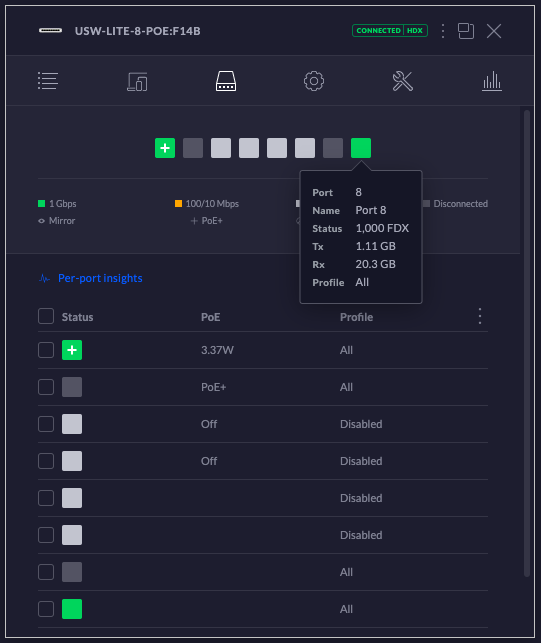
Annoying UI bug showing green gigabit port statuses, however, top overall summary shows CONNECTED|HDX (half-duplex?).
FW: 5.43.35 – NC: 6.0.45
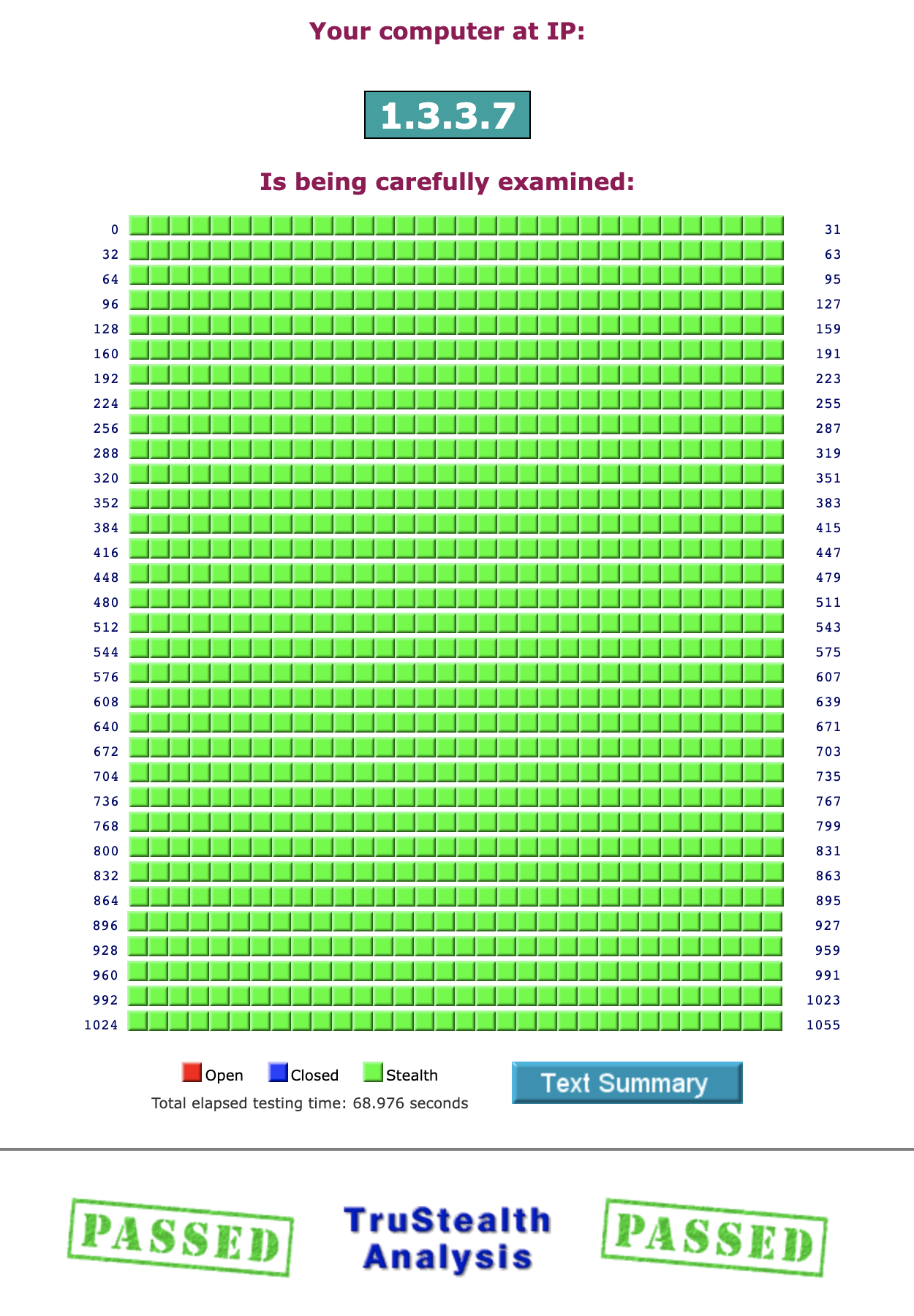
And in other news, a random picture of GRC’s port scan technology!
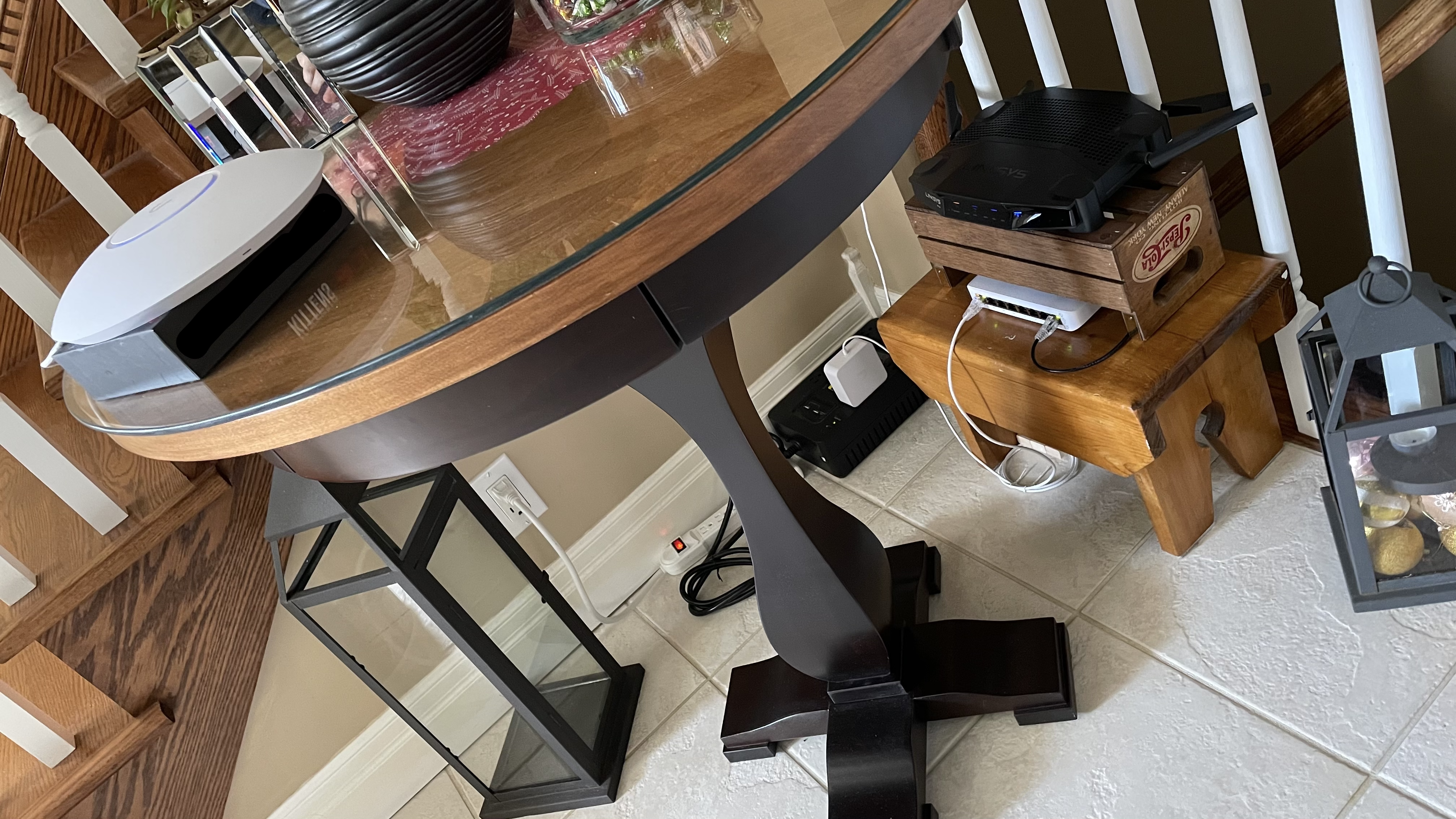
| So everyone has pictures and videos of their nice metal 1U network racks all wired up but since there are no wires running through here, I had to come up with something a bit different. I have a small-sized, wood-based, rack-unit [approx. 0.33U :] that hosts the main wireless-bridge part of the network! It’s been running pretty good so far while WFH 🙂 |
 |
If you are needing a more generalized and containerized method to run the UniFi Network Controller and you don’t want it running on your main system, you can use a trusted app like Docker to achieve this task!
I made a new repo that has some Dockerfile supported scripts which will pull in the latest Debian container and customize a new image from scratch to run MongoDB + Java8. This is useful if you don’t particularly trust the pre-made, public Docker containers that are already out there!
git clone && cd dockerfi/ — The build and run commands are listed in the main script file (once the container has been started, just browse to https;//127.0.0.1:8443 and restore from backup). The UI version is statically set to the previous stable release of 6.0.45!
Note: If you need to help layer 3 out: set-inform http;//192.168.X.Y:8080/inform
https://github.com/stoops/dockerfi/blob/main/main.sh
Edit: I made a small YouTube video running the script:
So if you’re using a self-signed SSL cert which is for personal use but is public facing (similar to an SSH key upon first connect), you will get a scary warning about it of course! It is recommended to verify the cryptographic hash of that certificate to help ensure that there is no Person-In-The-Middle attack taking place. You can have some fun, at least, with self-signed certs because you can put almost anything in them so I wrote a little script to generate some leading 0’s in the fingerprint field. This helps to not only slow down an attacker trying to trick me (they need to generate something similar which takes a little more time) but it’s also easier to remember a more basic pattern (my laptop is a bit slow so I could only get 5 of them which is about 20-bits worth of nothing — The more 0s, The more secure! :):
$ openssl x509 -in crt.pem -noout -fingerprint
SHA1 Fingerprint=00:00:0F:D1:86:3F:A0:39:10:67:78:0A:13:DD:3B:55:BC:68:A4:3B

==> crt.pem <==
-----BEGIN CERTIFICATE-----
MIIDOjCCAiICAQAwDQYJKoZIhvcNAQEFBQAwYzELMAkGA1UEBhMCWloxCzAJBgNV
BAcMAlpaMQswCQYDVQQKDAJaWjELMAkGA1UECAwCWloxEjAQBgNVBAMMCTEyNy4w
LjAuMTEZMBcGA1UECwwQNERGNTRSOFM1QUo3S0tWVzAeFw0yMTA0MDEwMTE0Mjla
Fw0zMTAzMzAwMTE0MjlaMGMxCzAJBgNVBAYTAlpaMQswCQYDVQQHDAJaWjELMAkG
A1UECgwCWloxCzAJBgNVBAgMAlpaMRIwEAYDVQQDDAkxMjcuMC4wLjExGTAXBgNV
BAsMEDRERjU0UjhTNUFKN0tLVlcwggEiMA0GCSqGSIb3DQEBAQUAA4IBDwAwggEK
AoIBAQDVjMyDU3S+b2kCQbnp2y6/TaYh85G/+neBL14o8emhwzngYP8BN6X+v9DJ
qa5pl3JNEqO8VHpTfc05jrHMHYOp1/ciP4FrSg7li4+J4qhclaseYCRJSoARDtEW
9P5eO67ISWe714JhQP+jovb45/xy1AkL8rmS/IF/5DTBgaMFu2iZ2AoR4d+48Xpe
f6sgddtYinBmZo4sTWV+4sUAoxRg7MAK6xMcublHR2YwYeV3VQmNRoXZ4kVwbjgY
56G90T6my7BOeyapVgybwwG7m6+yNQp4gw9ldac99qNSrQqeyNccXSRTIgpFwZx/
AMSGIxQy48nu9dZQV4Bz/Chfn6wXAgMBAAEwDQYJKoZIhvcNAQEFBQADggEBADI3
DuPqiqv/z4isTRB7niUKtcNZ3c8f5yidxXqGwRSSvQR3krl9kWlIFdsWQ6jiKotB
THGP6QeChD04XDvXdiPAGq/wdafGZlWGmyKc6+hyDRn4Jf47cazgR2cZgUwenWIs
b+ORfLyESsCQiaHaE6pEg9seA588nz2I20GAtOK60ZpVFawKfv6NZnLLNmfUVusW
aWZjdRLwsUino+XZxrcfadCuFKvOOFVjYSbiqzq63vPILrhtt/dwyy5eocXoWP4B
Qs3iv31U+7yy2gT0BcnHHGwDq3gD8NS62UcnA/2ZOjgtR8P/bCsyldX92QWd1ysL
uQY6WY16bWyAhdGS21A=
-----END CERTIFICATE-----

==> key.pem <==
-----BEGIN RSA PRIVATE KEY-----
MIIEpQIBAAKCAQEA1YzMg1N0vm9pAkG56dsuv02mIfORv/p3gS9eKPHpocM54GD/
ATel/r/QyamuaZdyTRKjvFR6U33NOY6xzB2Dqdf3Ij+Ba0oO5YuPieKoXJWrHmAk
SUqAEQ7RFvT+XjuuyElnu9eCYUD/o6L2+Of8ctQJC/K5kvyBf+Q0wYGjBbtomdgK
EeHfuPF6Xn+rIHXbWIpwZmaOLE1lfuLFAKMUYOzACusTHLm5R0dmMGHld1UJjUaF
2eJFcG44GOehvdE+psuwTnsmqVYMm8MBu5uvsjUKeIMPZXWnPfajUq0KnsjXHF0k
UyIKRcGcfwDEhiMUMuPJ7vXWUFeAc/woX5+sFwIDAQABAoIBAQCqUefzfiaIlHce
M6nCGOyJ67ZrMca3ZV7XDB5/baI3QGvyx6nbILUmH3q4vLq8wOuLCSjKVl5SJO3/
0A2CjK+sUPFswVXJaoHDFrJe+QXrAfw+99M5GVBXSof9VV1jbxqR5+nyaYo1YxAB
RULRdsVkGDU28FqOHxJyHGLvSyPotwEbJErP6gXJeYPUpDmoN/aALAtr/9ENDiy+
hLWXgp3qLfs6LiWpQG3UV4/KCwU7fKzU68xtOdBzpxhSpHDoUD+2j1wfbp54LqlJ
q5TDcoCZaehvev3NQwT2Puh4AlEZG4QTj70UXRcvxClUNENtr+jM1WiCQuph8jqf
jXPPBZ5BAoGBAPJXWPnEtlcHycThj6ZrOIGSFyqPsRwBVxDQdmImNeFQOYmSVzzv
TP27mEg1QFUUzceAMEDhcjdlkU/D8IbGkKvxwH77DKG6J+hwTRmwcQsin9DP02/W
iIR6TrkJThNwAHSLSVF2TUyhovnAVLe3OlH8F3oTlvsjpTBYmtZXXTlRAoGBAOGW
CJb+2kOMq8rFvudAWC+vJQUrgqb4UIbeeNNcY7XtLEuZQfVjYHQsYPq6yqnor2XG
yvnnc5UuUHZ2gCdLXlnDYPd7FteSwZAkRD3+Bl7gp/ReuX2bSLD52BhAXYAptzBA
t76qCqWAVLNMDK6x/yr7GsQC2S+5LXnlDhpN9LTnAoGBAJSQyeItHx+RjbdeFIOQ
fc6pMfyMpKYniCmtsrWO+T8MwIk/Jq4bghaXF89EnhDKtTCVvH859pxRbtj4pQ7q
0iwnA7yUyXSoO+j6V7nk+hg6fME1d0i7u2uD05kKREwUQKMx9Ju1K8RL3y6/IvCR
qnYyVm4nbkq92noeB6ZZXrRRAoGBAM+JHUv1GM5Oa3n4ZQIRM1BjPJa+Ccwc5NC/
eb9R3zXvBfJjA8iC7ajTb0EcefjI5hynP/ObWL2lR0dFC++aqinA0sO7zS70h/lZ
NCMoQaol2r66KsKBCuYuZP0isiKHvk25LJJPk83g+4ucaoqJnSxoqZ4s1KzQGyNq
dIgEsh1/AoGAZZJRrsiP/n+P2BRGfjOaJz8nAYsysH34qVPwE7uZnWC6JoKVRyt6
6gzlmVI11amly4oTtVWZu+fk39znYf/surZJoK4VHhQJWxCbDSjIbdBBYijjjtFG
V9JJNS1Mwjxx8sFPrgZoBlJsiN1WPXRxW3dSftS2D2PU/Ct3w4QzeHw=
-----END RSA PRIVATE KEY-----
import time, string, random, subprocess
from OpenSSL import crypto, SSL
#openssl genrsa -out key.pem 2048
b = subprocess.check_output('cat key.pem', shell=True)
k = crypto.load_privatekey(crypto.FILETYPE_PEM, b)
r = string.digits+string.ascii_uppercase
l = range(16)
t = (10*365*24*60*60)
s = 0
while True:
  c = crypto.X509()
  c.set_pubkey(k)
  d = c.get_subject()
  d.C = "ZZ" ; d.L = "ZZ" ; d.O = "ZZ" ; d.ST = "ZZ"
  d.CN = "127.0.0.1" ; d.OU = ''.join(random.choice(r) for _ in l)
  c.set_issuer(d)
  c.gmtime_adj_notBefore(0)
  c.gmtime_adj_notAfter(t)
  c.set_serial_number(s)
  c.sign(k, 'sha1')
  f = c.digest('sha1')
  if f.startswith('00:00:'):
    print(f)
    print(crypto.dump_certificate(crypto.FILETYPE_PEM, c))
    if f.startswith('00:00:00:'):
      break
Lets say you wanted to run a local area network controller web service that was made by a company that you didn’t completely trust, what would be your options? If you wanted proper authenticated+encrypted access to it, you could setup a trustworthy VPN service like OpenVPN and remote into the LAN or you can also setup a reverse https proxy service that handles the TLS channel + basic authentication first before forwarding on the traffic to the internal web service. For example, Nginx is a pretty powerful and amazingly simple service to achieve this setup (just make sure to note the SSL certificate fingerprint :):
# /etc/nginx/sites-available/default
# htpasswd -bc ssl.pwd user pass
# openssl req -x509 -newkey rsa:2048 -nodes -keyout ssl.key -days 3650 -out ssl.crt
# chown root:www-data ssl.* ; chmod 640 ssl.*
# openssl x509 -in ssl.crt -noout -fingerprint
server {
	listen 443 ssl;
	server_name 127.0.0.1;
	ssl_certificate /etc/nginx/sites-available/ssl.crt;
	ssl_certificate_key /etc/nginx/sites-available/ssl.key;
	ssl_protocols TLSv1.1 TLSv1.2 TLSv1.3;
	ssl_ciphers HIGH:!aNULL:!MD5;
	location / {
		auth_basic "Admin Area";
		auth_basic_user_file /etc/nginx/sites-available/ssl.pwd;
		proxy_pass https://127.0.0.1:44300;
	}
} Browser Extension: fossjon.wp.com/2020/09/15/…browser-extensions/
I haven’t posted much GO related code on this blog before as I am more of a fan of C, Python, Java/JS, etc. I initially found its syntax to be a bit harder to read due to the variable typing being placed after the variable name. It can make it harder to track and understand if the variable you’re looking at is a: mutable or immutable, pointer or constant, array or singular, referenced or dereferenced, local or global, etc.
It does combine a lot of power that you would typically find in a more structured language (like Java) along with being flexibile and relaxed (like Python).
Anyway, I’ve been trying to learn its syntax and capabilities recently and I created a basic GO program which runs on a DNS server framework (github dependency). It reads in a regex based domain blocklist text file and it also forwards the rest of the queries on for regular resolution.
Source Code: github.com/stoops/dnsrb/blob/main/dnsrb.go
$ go run dnsrb.go

Starting: 53053
Reading file [1616610565]...
[0]A-Query: facebook.com.
[0]A-Reply: 127.0.0.1
[0]A-Query: www.facebook.com.
[0]A-Reply: 127.0.0.1
[0]A-Query: blah.facebook.com.
[0]A-Reply: 127.0.0.1
[0]A-Query: fb.me.
[0]A-Reply: 127.0.0.1
[0]A-Query: amazon.ca.
[0]A-Reply: 54.239.18.172
[1]A-Reply: 54.239.19.238
[2]A-Reply: 52.94.225.242

$ echo ; for d in facebook.com www.facebook.com blah.facebook.com fb.me amazon.ca ; do echo "[$d] -> $(dig @127.0.0.1 -p 53053 $d +short)" ; done ; echo

[facebook.com] -> 127.0.0.1
[www.facebook.com] -> 127.0.0.1
[blah.facebook.com] -> 127.0.0.1
[fb.me] -> 127.0.0.1
[amazon.ca] -> 54.239.18.172 54.239.19.238 52.94.225.242
If you’re looking for the equivalent Netgear managed switch to the Cisco SG series posted below, I found this Netgear GS310TP model. It offers pretty similar networking features inside a nice wide metal case (even the underlying startup-config command-format is similar to the syntax of the Cisco IOS commands).
It seems to be running pretty stable so far in home testing! The 802.1q terminology is similar to OpenWRT in terms of declaring tagged & untagged VLAN interfaces. It’s a nice, reliable unit to run!


I’ve missed the good old days of configuring and setting up good quality switching hardware (like the big, huge Cisco switches and routers I used to experiment on with their IOS command line interface). I recently ordered this newer, smaller Cisco switch which can also provide power to a new “prosumer” WiFi AP (no power cables needed).
This unit is very stable and reliable and I bought it because it provides the following features:
[8 ports] [fanless quietness] [gigabit switching] [dot1q trunking vlans] [poe.af] and a return to using [IOS] management over SSH!
So our home network has the following hardware running our WiFi network:
Ubiquiti UAP-AC-PRO gen2 (multi SSID-VLANs)
  ʌ(poe)v
Cisco Switch SG250-08HP poe (multi dot1q-trunks)
  ʌ(cat6)v
OpenWRT Router Linksys-WRT32X (one tagged-port, multi VLAN-interfaces)
  ʌ(802.11ac)v
TP-Link Archer C7-V5 (basement router, connected modem)

switch-sg250-08hp#show run
config-file-header
switch-sg250-08hp
v2.5.5.47 / RTESLA2.5.5_930_364_286
CLI v1.0
file SSD indicator encrypted
@
ssd-control-start
ssd config
ssd file passphrase control unrestricted
no ssd file integrity control
!
vlan database
vlan 3-4
exit
hostname switch-sg250-08hp
exit
no logging on
aaa authentication dot1x default none
power inline limit-mode port
ip ssh server
!
interface vlan 1
 ip address 192.168.1.254 255.255.0.0
 no ip address dhcp
!
interface vlan 3
 name home
!
interface vlan 4
 name guest
!
interface GigabitEthernet1
 no eee enable
 spanning-tree disable
 no spanning-tree portfast
 spanning-tree link-type shared
 switchport mode trunk
 switchport trunk allowed vlan 1,3-5
 no eee lldp enable
 power inline limit 15400
!
interface GigabitEthernet2
 no eee enable
 spanning-tree disable
 no spanning-tree portfast
 spanning-tree link-type shared
 switchport mode trunk
 switchport trunk allowed vlan 1,3-5
 no eee lldp enable
 power inline limit 15400
!
...
!
interface GigabitEthernet7
 no eee enable
 spanning-tree disable
 no spanning-tree portfast
 spanning-tree link-type shared
 no eee lldp enable
 power inline limit 0
 power inline never
!
interface GigabitEthernet8
 no eee enable
 spanning-tree disable
 no spanning-tree portfast
 spanning-tree link-type shared
 switchport mode trunk
 switchport trunk allowed vlan 1,3-5
 no eee lldp enable
 power inline limit 0
 power inline never
!
exit
macro auto disabled
no ip igmp snooping querier
switch-sg250-08hp#
UniFi Post: fossjon.wp.com/2021/02/05/…unifi-uap-ac-pro-ufos/
On the OpenWRT Switch page, I have set LAN port 1 (along with a backup LAN port 2 but you can just use a single port) as the VLAN trunk port (tagged) to allow it to carry the traffic through to the VLAN access ports (untagged) [home = VLAN 3 && guest = VLAN 4]. This will create the sub-interfaces eth0.3 and eth0.4 which will contain the separated ethernet Layer 2 traffic from the WiFi clients (ARP, DHCP via dnsmasq, mDNS, etc).
~
OpenWRT Switch Setup:
Port 1 – Bridged with Untagged VLAN (Home)
Port 2 – Bridged with Untagged VLAN (Guest)
Port 3 & 4 – Trunked with Tagged VLANs & Bridged with Untagged LAN (Management)

~
UniFi Network Setup:
You can then go to the Networks section in the UniFi AP Site configuration and add a VLAN-Only Network (set the ID to 3 or 4) and then on the Wireless page create an SSID which uses that Network Name in the WiFi settings.
Note: To achieve a similar setup on a OpenWRT AP, you can use the WAN port tagged on those same VLAN numbers and then on the Interfaces page create an unmanaged interface type from the related VLAN sub-interface listed – this interface can then be assigned to the SSID network under the Wireless networks page.

There is a small issue that I noticed in the UAP-AC-PRO firmware images — I’ve posted this issue on the community forums and also filed a tracker report. It’s a shell script (or incomplete image) type of error depending on how you look at it but if you SSH into the AP you’ll notice this trace file:
home-BZ.v4.3.28# cat /tmp/rc.txt
...
+ [ -e /usr/etc/rc.postconf ]
+ [ -e /etc/ltecfg/lteUpgradeSierraWireless.sh ]
+ init -q
+ bgnd -r garp -- /sbin/garp -s 2
ERROR: bgnd: EXEC FAILED! Executable: /sbin/garp
If you check to see where this binary executable exists on the firmware image itself, it turns out it is indeed missing:
# echo $PATH ; which garp ; ls -l /sbin/garp
/usr/bin:/bin:/usr/sbin:/sbin
ls: /sbin/garp: No such file or directory
And if you look at which shell script is responsible for this error message (it’s an rc startup script):
# grep -in '' /etc/rc.d/rc
...
92:start() {
93:	# assumes a good starting point (module unloaded, processes stopped)
94:
95:	# update running config
...
194:	# done.
195:	bgnd -r garp -- /sbin/garp -s 2 &
196:	# NOTE: we didn't set the LED here. instead, we rely on the management agent (mcad)
197:	# to call syswrapper.sh:set-ready
...
215:	# make new /etc/inittab takes effect
216:	init -q
217:}
...
–
Either the image needs to include this referenced binary or the shell script needs extra logic to determine when to call the gratuitous ARP command successfully!
Cisco Post: fossjon.wp.com/2021/03/04/…a-return-to-cisco-ios/
Netgear Post: fossjon.wp.com/2021/03/10/…netgear-gig-poe-managed-switch/
So starting 2021 and continuing on the theme of UFO shaped things, I decided to replace our home AP (TP-Link Archer C7 V5 – good Qualcomm Atheros radios, low CPU/RAM/Disk) and the guest AP (Linksys WRT1900ACS – good RAM/CPU/Disk, bad Marvell radio driver support) which were both running OpenWRT. I was able to achieve a fairly stable and fast setup with those routers by keeping the tp-link minimal and the linksys in a basic wireless environment setup.
I wanted to try a new product to replace them both and also help expand my knowledge along the way. I picked up a couple of Ubiquiti APs to run each network type (at 802.11ac-3×3-1300mbps) and they are connected via a CAT6-gigabit-ethernet cable on VLAN-ports to a Linksys WRT32X router. This OpenWRT router is acting as a wireless client bridge to carry all the internal network traffic via a dedicated and separated 802.11ac backchannel to another TP-Link Archer C7 V5 router in the basement which is then connected to a cable modem for internet access.
They were pretty easy and straight forward to setup (just remember to download Java 8 for the UniFi controller software). They have good CPU/RAM and stable wireless radio capabilities. They came with the POE injectors in the box (no cables though) and the OS on them is very powerful allowing for features like 5Ghz band steering in a dual frequency, single SSID WiFi setup.
They do one thing and one thing well which is exactly what I was looking for!
–
| A Long Time Ago |
 |
| Back To The Future |
 |
Edit: There seems to be a DHCP issue going on with the firmware image, make sure to:
# upgrade https://dl.ui.com/unifi/firmware/U7PG2/4.3.20.11298/BZ.qca956x.v4.3.20.11298.200704.1347.bin


 Jon's FOSS Blog