So yesterday I got to editing NIS passwd/group (being deprecated) files so we can add a new user and then used that information to convert it over into LDAP format. I also got into to writing a little bot that attempts to monitor some of our servers by SSH’ing into them and watching some log files and then reporting back to IRC mostly via Python. I’m excited for any new projects that come my way along with reading about new technologies that I’m unfamiliar with! I’m also noticing that some of our ticket processing steps (SOP guided) could use some more automation along with translating some older scripts to a common language in a common place 🙂
Learning New Concepts!
So yesterday I went through the process of removing/disabling a user from all of the systems/services we use here at Afilias. It’s a multi-step procedure and I could look into automating it a bit more with Python. In addition, I did some reading up on LDAP modify/search via the command line as well as Kerberos *princ commands. I have a lot to learn still but I’m trying my best to catch up 🙂
So I Started A New Career At Afilias DNS!
My friend and co-worker Anthony has me started on modifying LDAP credentials (via PHP 🙂 and launching Puppet synchronization tasks (via SSH :). Also, for re-setting up x-chat, make sure to put in a join channel delay so nickserv can identify you /set irc_join_delay 15
Random Last Minute File Cleanup
Just found a little script I used to rename my music files based on their ID3 tag info.
#!/bin/bash ls | while read s do i=`exiftool "$s" | sed -e 's@[/?]@_@g'` a=`echo "$i" | grep '^Artist [ ]*:' | sed -e 's/^[^:]*:[ ]*//'` t=`echo "$i" | grep '^Title [ ]*:' | sed -e 's/^[^:]*:[ ]*//'` n=`echo "$i" | grep '^Track [ ]*:' | sed -e 's/^[^:]*:[ ]*//' -e 's/_.*$//'` if [ "$n" == "" ] then n="0" fi f=`echo "$i" | grep '^File Type [ ]*:' | sed -e 's/^[^:]*:[ ]*//' -e 's/^.*_//' | tr '[A-Z]' '[a-z]'` z="$a - $t - $n.$f" if [ "$s" != "$z" ] then if [ ! -f "$z" ] then mv -fv "$s" "$z" fi fi done
Final Seneca Blog Post (But Hopefully Not The Last!)
So my time as a Research Assistant @ Seneca College is coming to an end. It’s been a long time, (over 2 years!), and I’m glad that the higher ups here decided to keep me around for soo long. I’ve learned a lot during my years that I thought I guess I’d share:
* Thank you Seneca College for hiring me!
* and giving me the freedom to choose my own work/projects/hours
* and providing paid funding for trips/food/hotels
* and allowing me to gain experience/contacts/reputation
* Don’t directly modify software which is currently in use
* Instead submit patches upstream to have your changes made official!
* It’s hard to see instant results when first going to the gym
* I’m fairly skinny so it didn’t help to begin with 🙂
* I met my first girl friend randomly at a conference which I had to attend for work purposes
* Getting up at 4am on the weekend sucked but I got something amazing out of it!
* I used to hate social media services like blogs or twitter but they actually helped make a name for myself
* Googling my name before returned no results which can be just as bad as negative results…
* Emotion/tone is often lost in online conversation with services like email or IRC
* So don’t assume others are being mean by default if you’re ever unsure
* Stay calm if you’re arguing with another employee with differing view points
* Sometimes these view points are more philosophically different rather than technical so it’s harder to convince others or learn from them
* Keep an open mind set so you can learn new things and/or change your own view points
* The reason for change may not be immediately clear to you until much later on down the road
* Be patient when teaching others, regardless of their experience level
I think that’s about it for now, I’ll update this post if I can think of more later,
Thanks again to my friends and Seneca and Chris Tyler/Dawn Mercer for supporting me here,
– Jon Chiappetta
Edit: If you’re like me and you don’t enjoy having your entire life monitored and recorded by the NSA, a good site for app replacements can be found here: https://prism-break.org/
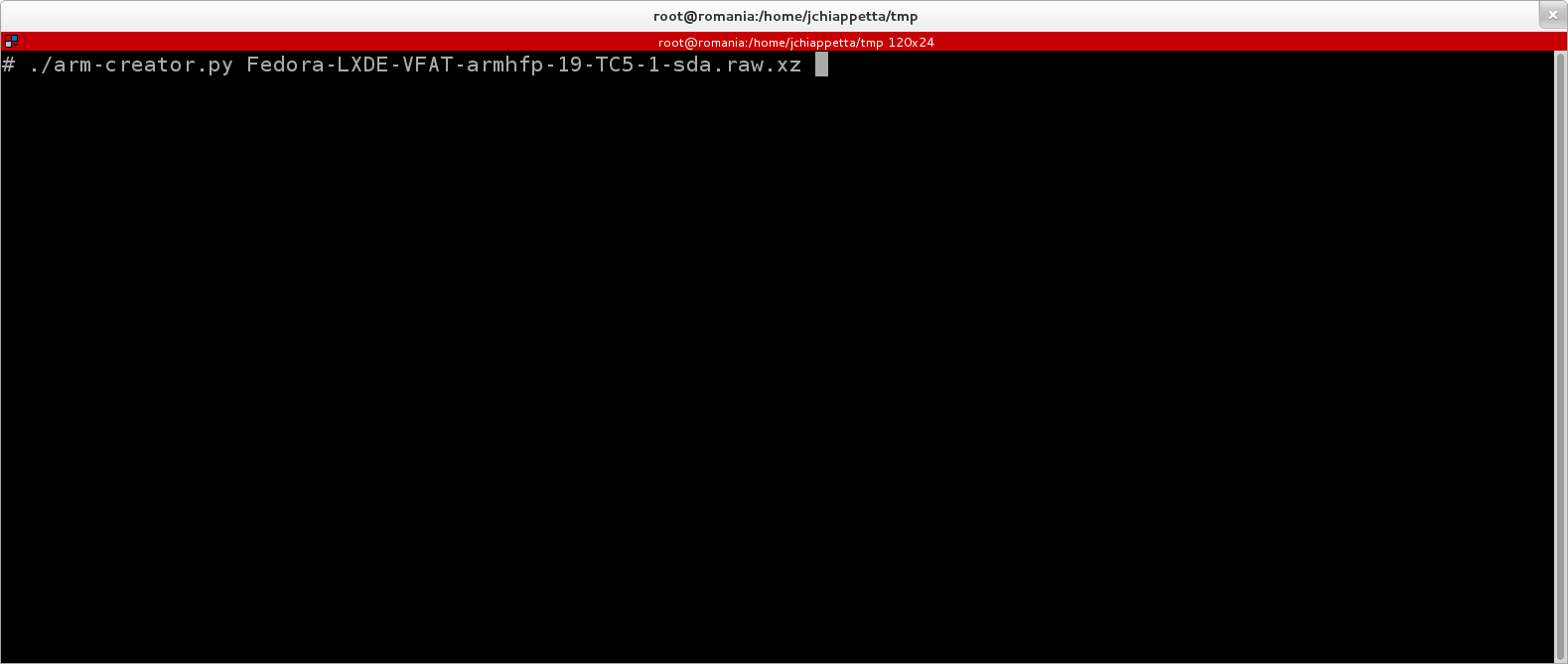
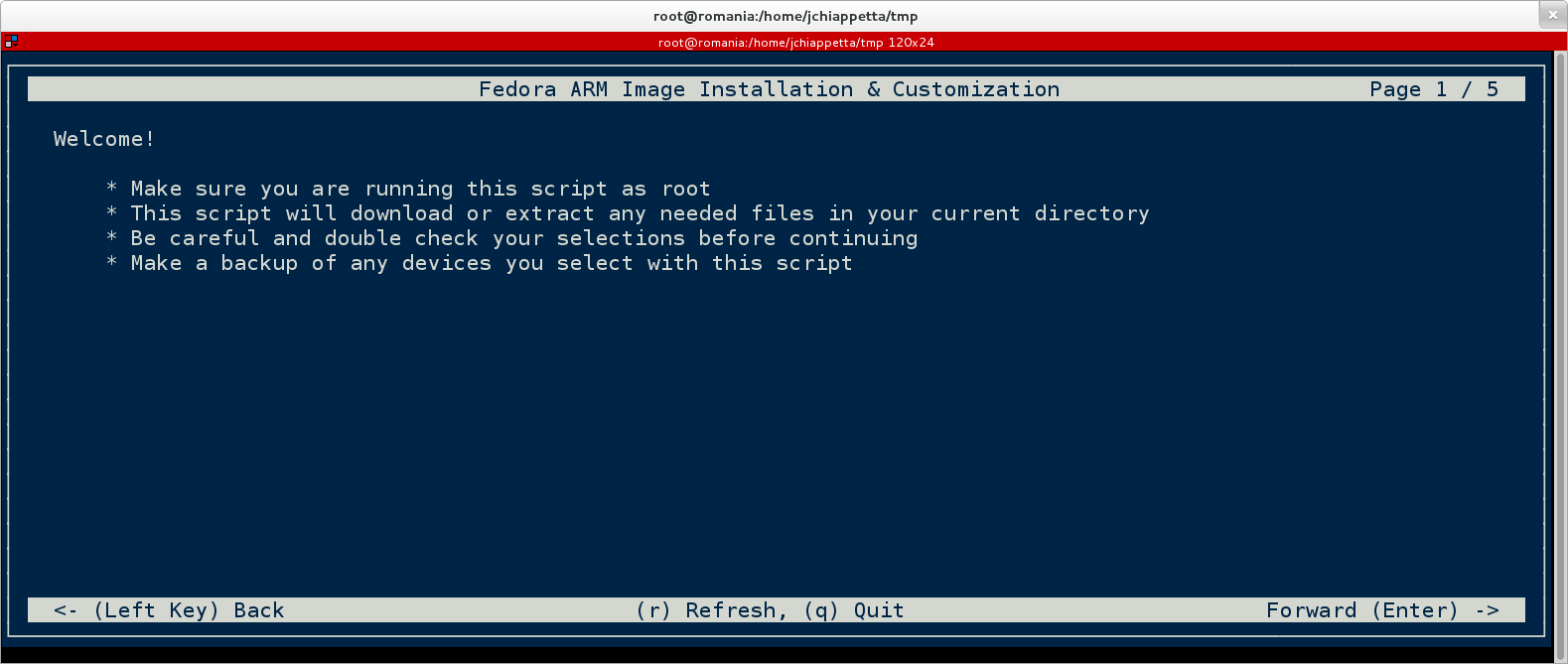
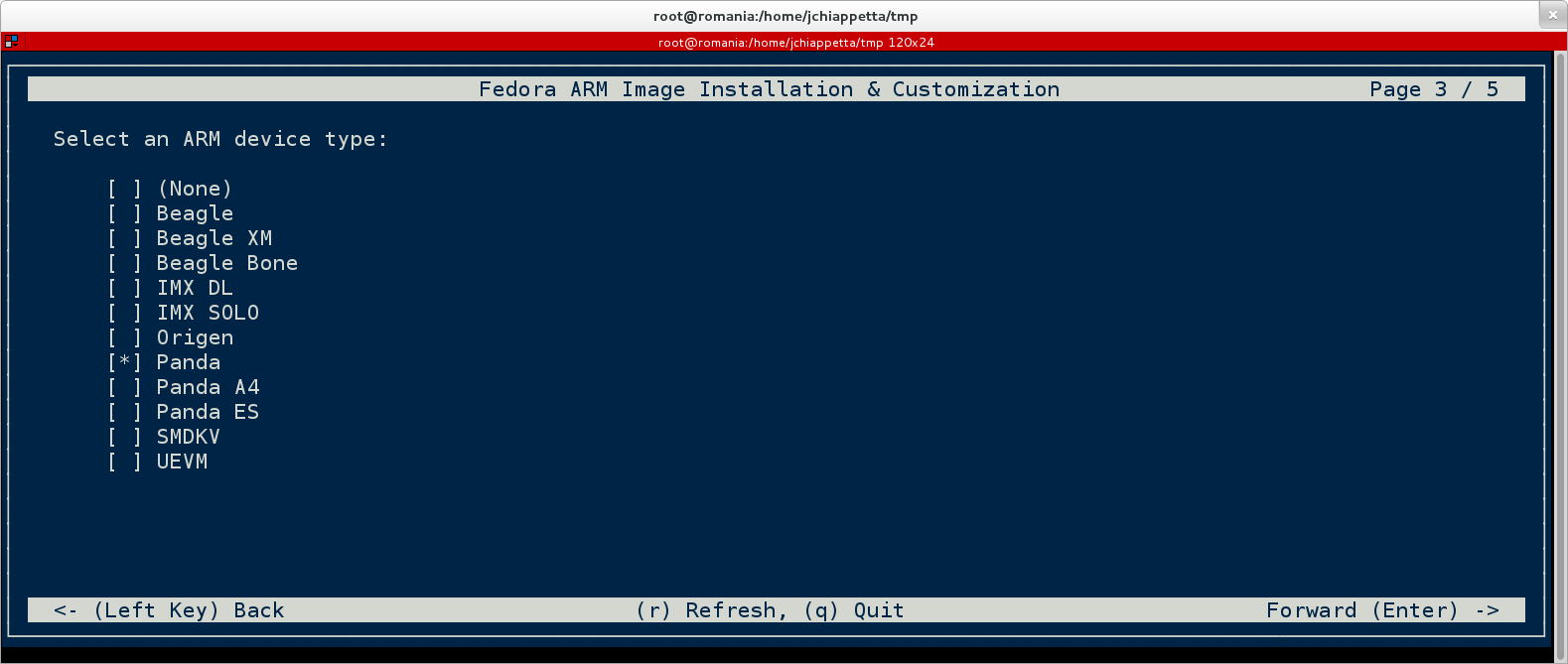
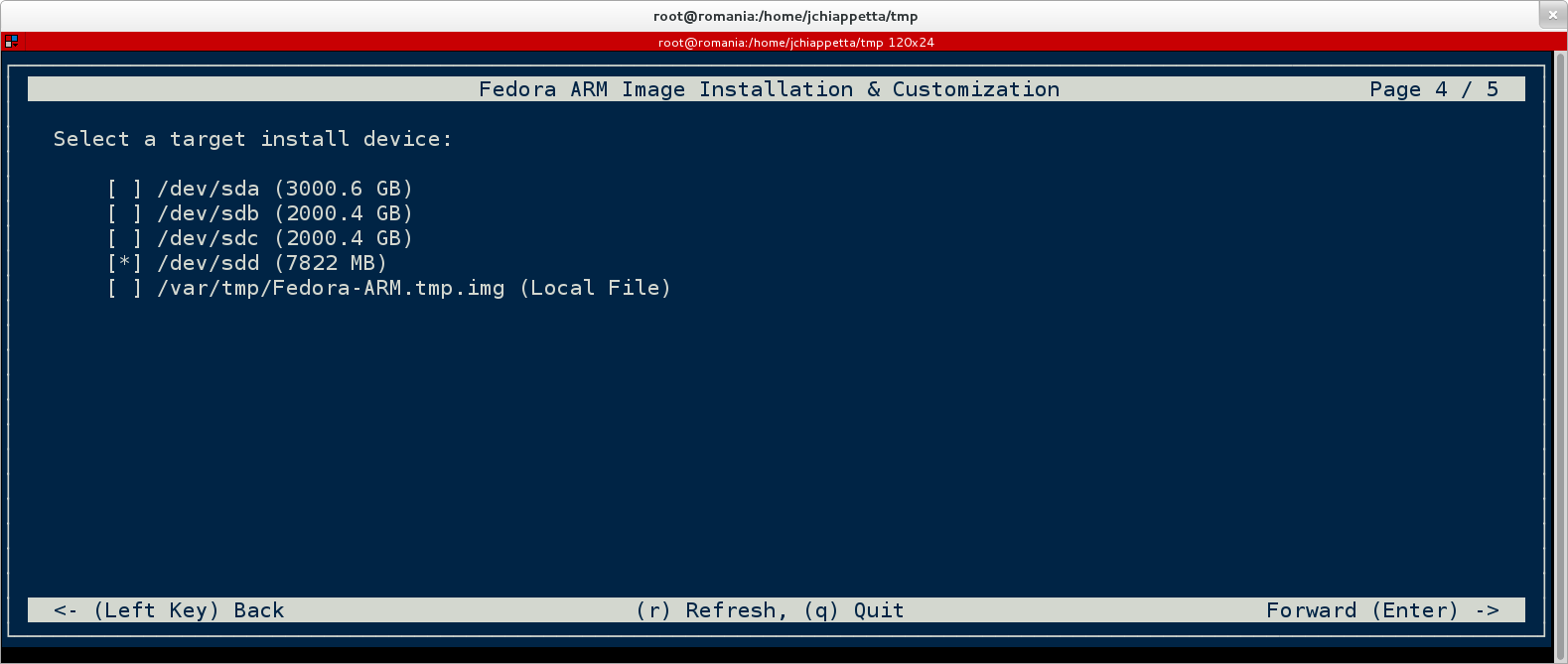
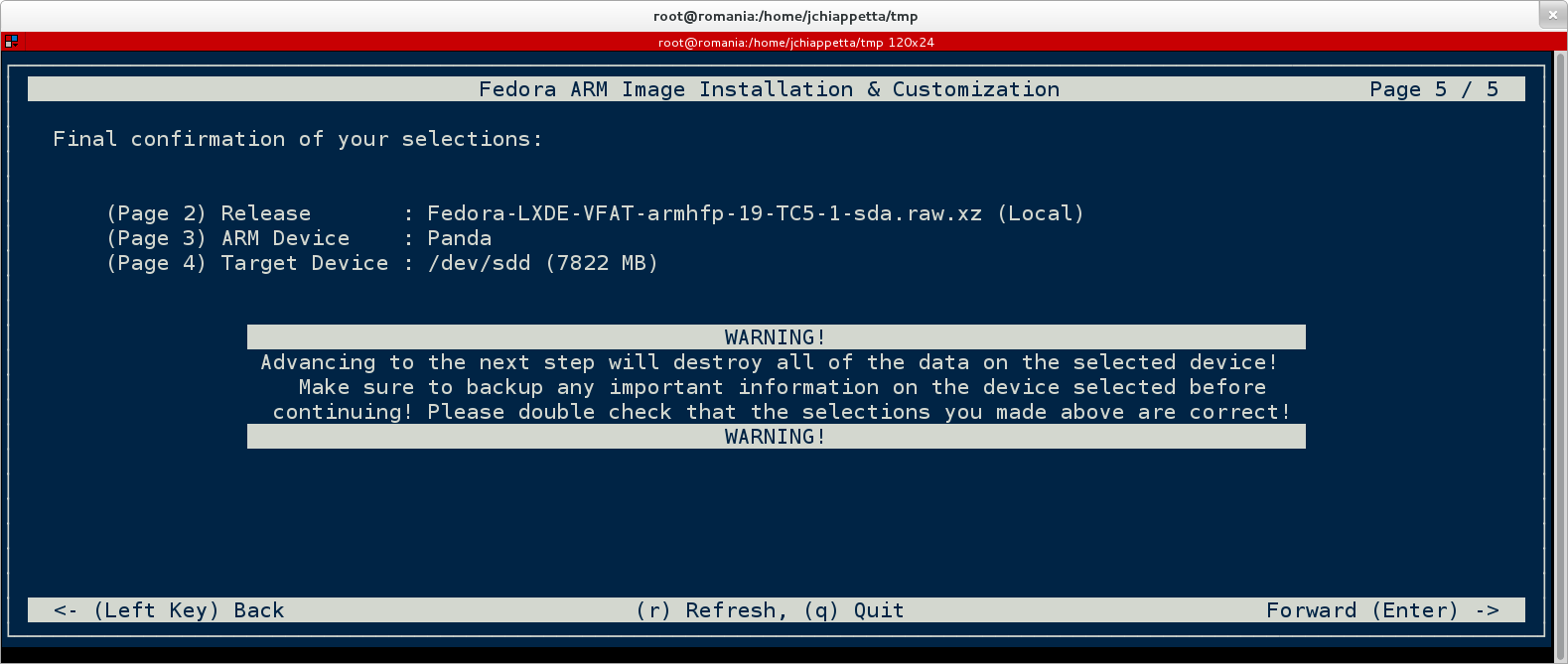
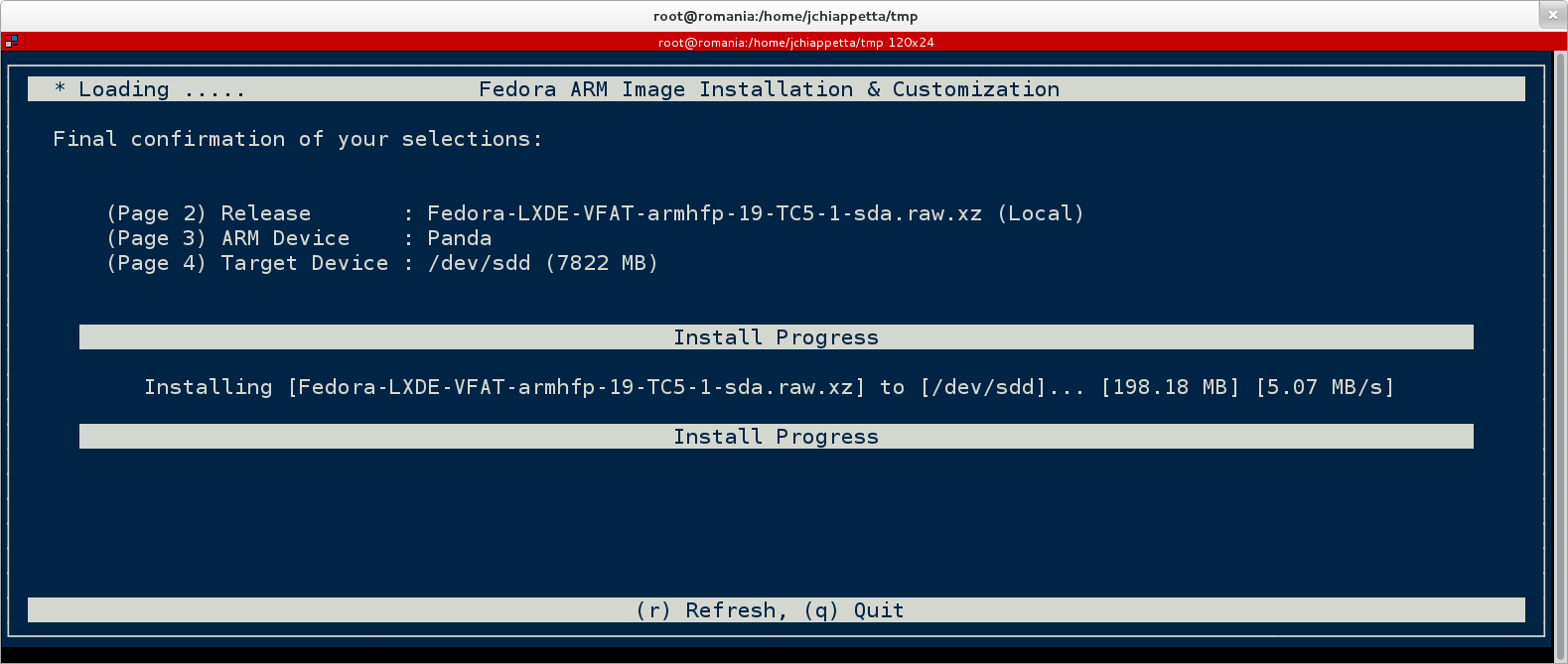
Fedora ARM Install & Customization
Pidora 18 (Raspberry Pi Fedora Remix) Release
We're excited to announce the release of Pidora 18 --
an optimized Fedora Remix for the Raspberry Pi.
It is based on a brand new build of Fedora for the ARMv6
architecture with greater speed and includes packages
from the Fedora 18 package set.
* * *
There are some interesting new features we'd like to highlight:
* Almost all of the Fedora 18 package set available via yum
(thousands of packages were built from the official Fedora
repository and made available online)
* Compiled specifically to take advantage of the hardware already
built into the Raspberry Pi
* Graphical firstboot configuration (with additional modules
specifically made for the Raspberry Pi)
* Compact initial image size (for fast downloads) and auto-resize
(for maximum storage afterwards)
* Auto swap creation available to allow for larger memory usage
* C, Python, & Perl programming languages available & included
in the SD card image
* Initial release of headless mode can be used with setups
lacking a monitor or display
* IP address information can be read over the speakers and
flashed with the LED light
* For graphical operation, Gedit text editor can be used with
plugins (python console, file manager, syntax highlighting)
to serve as a mini-graphical IDE
* For console operation, easy-to-use text editors are included
(nled, nano, vi) plus Midnight Commander for file management
* Includes libraries capable of supporting external hardware
such as motors and robotics (via GPIO, I2C, SPI)
* * *
For further documentation, downloads, faq's, read-me's,
how-to's, tutorials, or videos:
Home
* * *
Pidora 18 is a Fedora Remix -- a combination of software packages
from the Fedora Project with other software.
The Fedora Project is a global community of contributors working
to advance open source software. For more information or to join
the Fedora Project, see http://fedoraproject.org
Pidora is a project of the Seneca Centre for Development of Open
Technology (CDOT). To connect with CDOT, please visit
http://cdot.senecacollege.ca
The Raspberry Pi is a small, inexpensive computer board designed
to provoke curiosity and experimentation in programming and
computer electronics. For more information, see the Raspberry
Pi Foundation website at http://raspberrypi.org
* * *
- - -
The CDOT team at Seneca College
Convert a really big hex string into a decimal string using bash & bc
x=1 ; m=1 ; n=0 ; while true ; do h=`cat /tmp/prime.txt | tr -d ' \t\r\n' | rev | cut -c $x | sed -e 's/A/10/' -e 's/B/11/' -e 's/C/12/' -e 's/D/13/' -e 's/E/14/' -e 's/F/15/'` ; if [ "$h" == "" ] ; then break ; fi ; n=`echo "$n + ($h * $m)" | bc` ; m=`echo "$m * 16" | bc` ; x=`echo "$x + 1" | bc` ; done ; n=`echo "$n" | tr -d ' \t\r\n' | sed -e 's/[^0-9]//g'` ; echo "$n"
Edit: Random self plug – http://fedoraproject.org/wiki/Fedora_ARM_Installer
Just some end-of-semester documentation links
For building and maintaining packages in Fedora:
– https://fedoraproject.org/wiki/Using_Fedora_GIT
– http://fedoraproject.org/wiki/Bodhi
Generating A GUI Windows EXE From A Python Script
# exes: python-2.7-x32, pyqt4-2.7-x32, py2exe-2.7-x32
# run: cd C:\Users\admin\Desktop\fedora-arm-installer
# files: setup.py, MSVCP90.dll
# run: C:\Python27\python.exe setup.py py2exe
import sys,os
from distutils.core import setup
import py2exe
os.system("rd /s /q .\\build")
os.system("rd /s /q .\\dist")
os.system("rd /s /q .\\fedora-arm-installer-0.0.0-0.x32")
a=open("fedora-arm-installer","r")
b=open("fedora-arm-installer-2","w")
for l in a.readlines():
m = l
m = m.replace("sys.stderr","#sys.stderr")
m = m.replace("proglist.append(progcomd)","proglist.append(re.sub('fedora-arm-installer-2.exe$','helper.exe',progcomd))")
b.write(m)
b.close()
a.close()
os.system("copy fedora-arm-installer-2 helper /y")
setup(console=['helper'], options={"py2exe":{"includes":["sip"]}})
setup(windows=['fedora-arm-installer-2'], options={"py2exe":{"includes":["sip"]}})
os.system("md .\\dist\\data")
os.system("xcopy .\\data .\\dist\\data")
os.system("rename .\\dist fedora-arm-installer-0.0.0-0.x32")
Edit: Updated the setup.py script above to remove the command line window
# exes: python-2.7-x32, pyqt4-2.7-x32, py2exe-2.7-x32
# run: cd C:\Users\admin\Desktop\fedora-arm-installer
# files: setup.py, MSVCP90.dll
# run: C:\Python27\python.exe setup.py py2exe
import sys,os
from distutils.core import setup
import py2exe
os.system("rd /s /q .\\build")
os.system("rd /s /q .\\dist")
a=open("fedora-arm-installer","r")
b=open("fedora-arm-installer-2","w")
for l in a.readlines():
m = l.replace("sys.stderr","#sys.stderr")
b.write(m)
b.close()
a.close()
setup(console=['fedora-arm-installer'], options={"py2exe":{"includes":["sip"]}})
#setup(windows=['fedora-arm-installer-2'], options={"py2exe":{"includes":["sip"]}})
os.system("md .\\dist\\data")
os.system("xcopy .\\data .\\dist\\data")
A Really Basic Koji-Shadow Script
This script will follow the general procedure:
* List the latest tagged (non-inherited) packages from the arch being followed
* Download and import any of the non-arch detected packages
* Sort all missing builds by their creation timestamp and order them to be qued
* Loop thru the missing package list and download and que each build
A simple server-side script to help reduce the size of the Koji sessions table:
#!/bin/bash pd=$(echo $(date "+%s") - 1800 | bc) ; echo "$pd" ; psql koji -c "delete from sessions where extract(epoch from update_time) < $pd and master != 0;" while true do pd=$(echo $(date "+%s") - 1800 | bc) ; echo "$pd" ; psql koji -c "delete from sessions where expired = 't' and extract(epoch from update_time) < $pd;" sleep 2400 done
A simple script to re-que the latest failed build tasks in case of a build-root breakage:
#!/bin/bash
let x="0"
let l="50 * $1"
while [ $x -lt $l ]
do
echo "[$x]"
for t in `curl -sL "$1/koji/tasks?start=${x}&state=failed&view=flat&method=build&order=-completion_time" | grep -Eiv "pcre|libssh|glib2|glibc" | grep -i 'taskinfo.taskID=[0-9]*' | sed -e 's/^.*taskinfo.taskID=\([0-9]*\).*$/\1/g'`
do
echo " [$t]"
koji -s "$1/kojihub" resubmit --nowait "$t"
done
let x="$x + 50"
done
Syncing iTunes Playlists From Windows 7 To A Nexus 4
* Connect both devices to a common WiFi AP and determine their IP addresses (Windows/Nexus)
* Download a capable SSH/SFTP/SCP server app that also allows you to setup a capable login user (Nexus)
* Download and run “dokan-sshfs” and then connect to and mount the phone as a “U:\” drive (Windows)
* Run the “syncplay.js” wscript below to sync a smart playlist called “recent” to the phone (Windows)
var iTunesApp = WScript.CreateObject("iTunes.Application");
var mainLibrary = iTunesApp.LibrarySource;
var playlists = mainLibrary.Playlists;
var numPlaylists = playlists.Count;
var fileSys = WScript.CreateObject("Scripting.FileSystemObject");
while (numPlaylists != 0)
{
var currPlaylist = playlists.Item(numPlaylists);
if (currPlaylist.Name == "recent")
{
var playlistTracks = currPlaylist.Tracks;
var numTracks = playlistTracks.Count;
WScript.Echo("[" + currPlaylist.Name + ":" + numTracks + "]");
while (numTracks != 0)
{
var sourceTrack = playlistTracks.Item(numTracks);
var targetTrack = ("U:\\sdcard\\Music\\" + fileSys.GetBaseName(sourceTrack.Location) + "." + fileSys.GetExtensionName(sourceTrack.Location));
var sourceSize = fileSys.GetFile(sourceTrack.Location).Size;
var targetSize = 0;
if (fileSys.FileExists(targetTrack))
{
targetSize = fileSys.GetFile(targetTrack).Size;
}
//WScript.Echo("[" + sourceTrack.Name + ":" + sourceTrack.Location + ":" + targetTrack + "]");
if (sourceSize != targetSize)
{
fileSys.CopyFile(sourceTrack.Location, targetTrack);
}
numTracks--;
}
//add check to remove uneeded songs
//create a playlist xml file
//force device refresh
WScript.Echo("Done");
}
numPlaylists--;
}
2012 in review
The WordPress.com stats helper monkeys prepared a 2012 annual report for this blog.
Here’s an excerpt:
600 people reached the top of Mt. Everest in 2012. This blog got about 2,900 views in 2012. If every person who reached the top of Mt. Everest viewed this blog, it would have taken 5 years to get that many views.
A new Koji instance for a new arch
So we’ve fired up a new Koji setup to facilitate our future builds of ARMv6hl capable packages. The new site can be reached and tracked here ( http://japan.proximity.on.ca/koji/ ). Right now, it is attempting to catch up by “cleanly” and natively building Fedora Linux 17 for ARMv6hl for the first time. In the future, we may run the koji-shadow build script which matches the build process of the secondary && primary arch’s and employs a smarter que’ing technique.
Note:
For a new arch, you'll have to patch Koji as well. For example, you can find any references to armhfp/armv7hl and so on and replace them with armv6hl using this command: rpm -qa | grep -Ei '(rpm|yum|koji)' | while read p ; do echo "$p" ; rpm -ql "$p" | xargs grep -i "armhfp" 2> /dev/null ; done
This (brute-force) build script can be run concurrently with other copies of itself at the same time.
que.sh
#!/bin/bash while true do x=1 last="a" pkgn="b" tskl=`curl -sL 'http://japan.proximity.on.ca/koji/tasks?view=flat&state=active&method=build&order=-id' | grep -i 'through' | sed -e 's/^.*through [0-9]* of //g' -e 's/<.*$//g' | head -n 1` if [ "$tskl" == "" ] then tskl=0 fi while [ $tskl -lt $1 ] do pkgn=`head -n "$x" pkgs.txt | tail -n 1` if [ "$pkgn" == "$last" ] then exit fi #echo "$pkgn" if [ ! -f "$pkgn.src.rpm" ] then echo " building [$pkgn]...." koji -s 'http://arm.koji.fedoraproject.org/kojihub' download-build --arch=src --topurl='http://arm.koji.fedoraproject.org/' "$pkgn" koji -s 'http://japan.proximity.on.ca/kojihub' build f17 "$pkgn.src.rpm" --nowait let tskl="$tskl + 1" fi last="$pkgn" let x="$x + 1" done sleep 30 done
This script below will reset the failed build attempts after each run is completed.
rst.sh
#!/bin/bash
rm -fv *.src.rpm
for tagd in `koji -s 'http://japan.proximity.on.ca/kojihub' list-tagged f17 --quiet --latest --inherit | awk '{ print $1 }'`
do
touch "${tagd}.src.rpm"
done
And since Koji seems to suck (no offence) at managing its sessions table, this script will clear out any expired sessions which are more than 10 minutes old so the table doesn’t become huge and slow.
exp.sh
#!/bin/bash
while true
do
psql koji -c "select update_time from sessions where expired = 't';" | cat | grep -i '[0-9][0-9][0-9][0-9]-[0-9][0-9]-[0-9][0-9] [0-9][0-9]:[0-9][0-9]:[0-9][0-9]' | while read date
do
a=`date --date="$date" "+%s"`
b=`date "+%s"`
let c="($b - $a) / (60 * 10)"
if [ $c -gt 0 ]
then
echo "deleting [$date] exp [$c] from [`date`]"
psql koji -c "delete from sessions where expired = 't' and update_time = '$date';"
fi
done
sleep 300
done
A lesson in how / why companies hire & fire
Was doing some late-night Slashdot reading and came across an article submission which had a blog post about a facebook employee who had been fired. Although it seems like personal rant, there are some interesting points which give insight on how companies think about employees.
http://okdork.com/2012/09/29/why-i-got-fired-from-facebook-a-100-million-dollar-lesson/
Quoting:
“When you hire people there are three types of employees:
1- Grower. Someone who starts when the company is small and improves / adapts their skills as the company scales.
2- Show-er. Someone who can be good for the company where they are now but NOT where they are going.
3- Veteran. They’ve done it before and it’s second nature for them to teach you how to do it in your company.”
…
“Firing:
1- It stings the person WAY more than the company. I thought every day that the company missed me but I’ve learned they just keep going on with business. AND (UN)FORTUNATELY most businesses get better. So be stern when letting someone go but be reasonable and thoughtful to how it must feel. I encourage everyone to get fired once so they know that feeling. It’s unbelievable and something to definitely learn from.
2- EVERYONE is replaceable. You are NOT special and there is guaranteed someone better than you on this planet. So be the opposite, find the way to be invaluable where you work. This doesn’t mean locking things into you but opening things up so you are trusted and subsequently valued more.
3- Most people when they get let go, they know it’s time. They may not want to accept what their subconscious tells them but they know it’s right and it opens them up to something better. Instead of throwing them away, help guide / work with them to see what is their true calling and better suited for them.”
edit
I also came across another article which highlighted a video about motivation which I had posted before on this blog. It tries to explain why we do what we do in this open source world: http://www.youtube.com/watch?v=u6XAPnuFjJc ( http://www.ted.com/talks/dan_pink_on_motivation.html )